A great market innovation is LG Smart TVs with the WebOS Operating System. The system is quite lean, fast, and versatile. It is compatible with a wide variety of apps. To name just a few, we have YouTube, Netflix, FOX Play, Band.ip, ESPN, goalcom, iG, UOL, Caras, Google Maps, LG Arena Sports, Claro Video. If you want to see the full list, see here.
There is also a good variety of more intuitive remote control models.
OCR of the previous image:
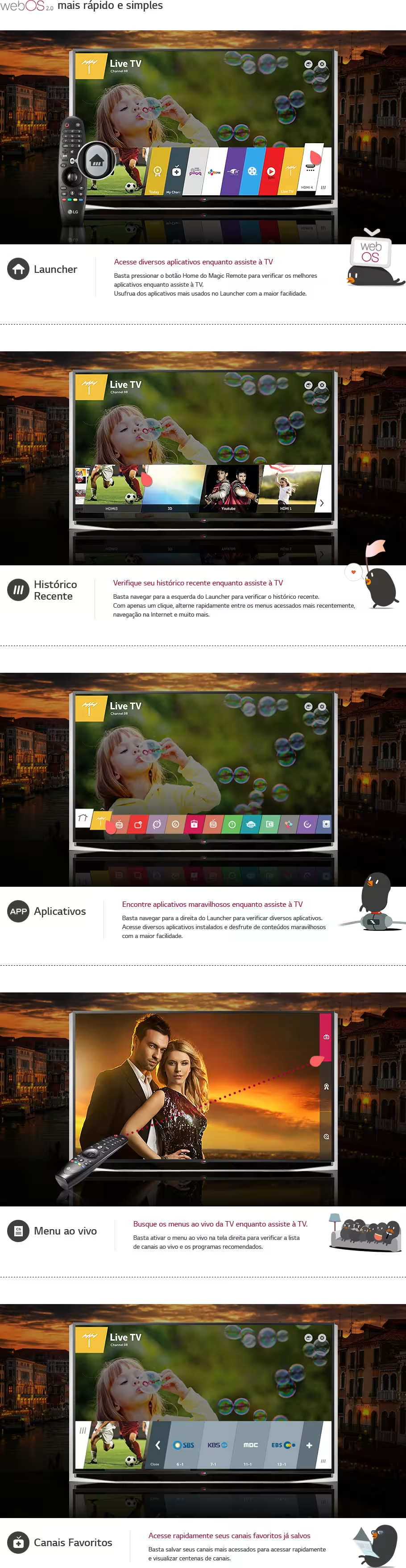
web0S2.0 Faster and simpler. Launcher. Access various applications while watching TV. Simply press the Home button on the Magic Remote to check the best applications while watching TV. Enjoy the most used applications on the Launcher with the greatest ease. webOS. Recent History. Check your recent history while watching TV. Simply navigate to the left of the Launcher to check recent history. With just one click, quickly switch between the most recently accessed menus, internet browsing, and much more. Applications: Find wonderful applications while watching TV. Simply navigate to the right of the Launcher to check various applications. Access various installed applications and enjoy wonderful content with the greatest ease. Live Menu: Search live TV menus while watching TV. Simply activate the live menu on the right screen to check the list of live channels and recommended programs. Favorite Channels: Quickly access your saved favorite channels. Simply save your most accessed channels to quickly access and view hundreds of channels.
OCR of the previous image:
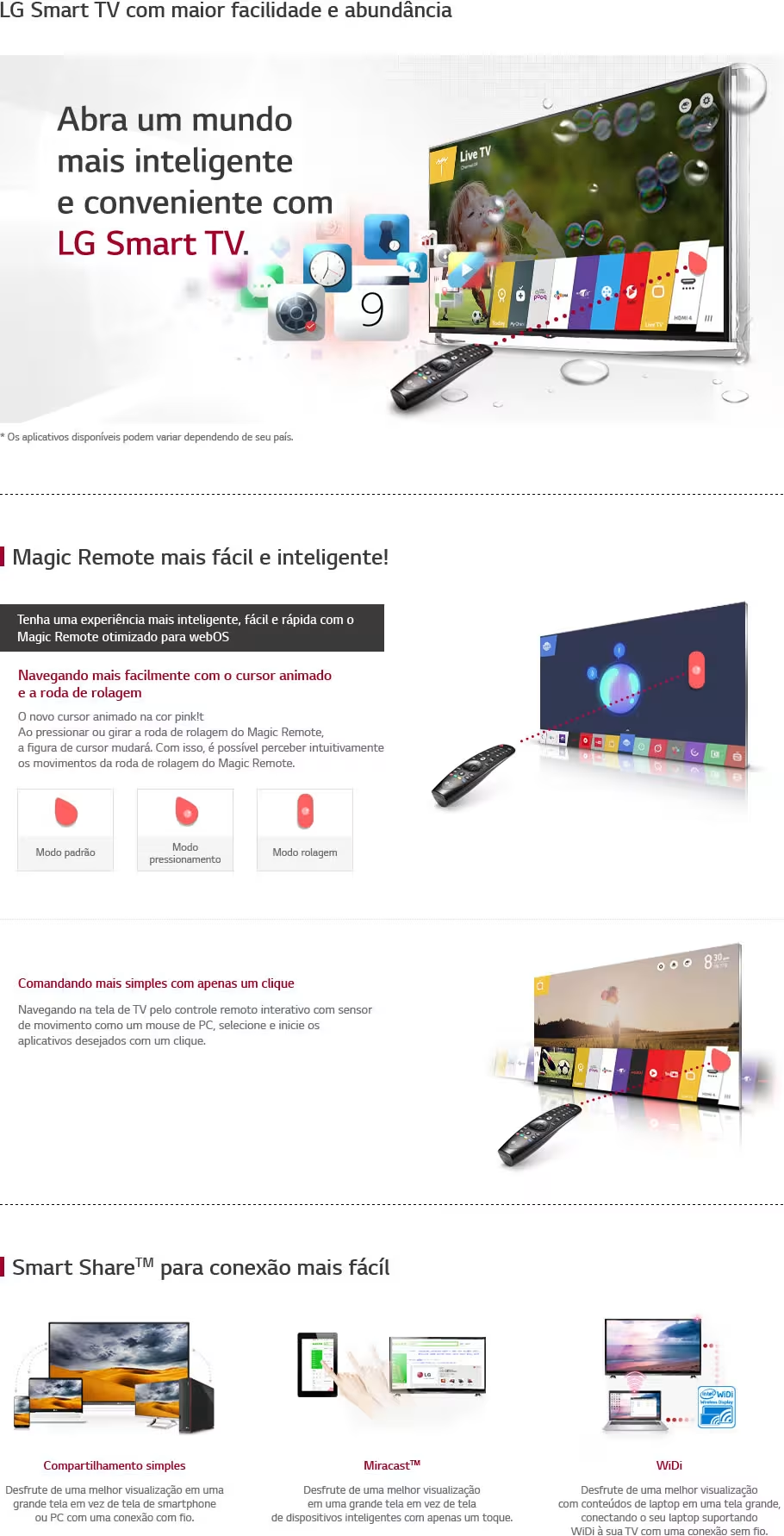
LG Smart TV with greater ease and abundance. Open a smarter and more convenient world with LG Smart TV. I Magic Remote easier and smarter! Have a smarter, easier, and faster experience with the Magic Remote optimized for webOS. Navigating more easily with the animated cursor and scroll wheel. The new animated cursor in pink. By pressing or rotating the Magic Remote's scroll wheel, the cursor figure will change. This allows for intuitive perception of the Magic Remote's scroll wheel movements. Commanding simpler with just one click. Navigate the screen of N via the interactive remote control with motion sensor like a PC mouse, select and launch desired applications with a click. Smart ShareTM for easier connection. Simple sharing. Enjoy a better viewing experience on a large screen instead of a smartphone or PC screen with a wired connection. Miracas, Enjoy a better viewing experience. Enjoy a better device viewing experience.
A great market innovation is LG Smart TVs with the WebOS Operating System. The system is quite lean, fast, and versatile. It is compatible with a wide variety of apps. To name just a few, we have YouTube, Netflix, FOX Play, Band.ip, ESPN, goalcom, iG, UOL, Caras, Google Maps, LG Arena Sports, Claro Video. If you want to see the full list, see here.
There is also a good variety of more intuitive remote control models.
OCR of the previous image:
web0S2.0 Faster and simpler. Launcher. Access various applications while watching TV. Simply press the Home button on the Magic Remote to check the best applications while watching TV. Enjoy the most used applications on the Launcher with the greatest ease. webOS. Recent History. Check your recent history while watching TV. Simply navigate to the left of the Launcher to check recent history. With just one click, quickly switch between the most recently accessed menus, internet browsing, and much more. Applications: Find wonderful applications while watching TV. Simply navigate to the right of the Launcher to check various applications. Access various installed applications and enjoy wonderful content with the greatest ease. Live Menu: Search live TV menus while watching TV. Simply activate the live menu on the right screen to check the list of live channels and recommended programs. Favorite Channels: Quickly access your saved favorite channels. Simply save your most accessed channels to quickly access and view hundreds of channels.
OCR of the previous image:
LG Smart TV with greater ease and abundance. Open a smarter and more convenient world with LG Smart TV. I Magic Remote easier and smarter! Have a smarter, easier, and faster experience with the Magic Remote optimized for webOS. Navigating more easily with the animated cursor and scroll wheel. The new animated cursor in pink. By pressing or rotating the Magic Remote's scroll wheel, the cursor figure will change. This allows for intuitive perception of the Magic Remote's scroll wheel movements. Commanding simpler with just one click. Navigate the screen of N via the interactive remote control with motion sensor like a PC mouse, select and launch desired applications with a click. Smart ShareTM for easier connection. Simple sharing. Enjoy a better viewing experience on a large screen instead of a smartphone or PC screen with a wired connection. Miracas, Enjoy a better viewing experience. Enjoy a better device viewing experience.