
Did you know that over 90% of internet content is pornography? Well, this fact has been an ally of international terrorism. Because billions of pornographic images travel the internet every second, no government can monitor them.
Major International Investigation Companies have discovered that these images and videos have served as a form of communication between terrorists, a practically impossible form to control.
Want to use it for good, and hide your passwords in innocent family photos?
See how:
Take the photo you want to use, I'll call it photo.avif
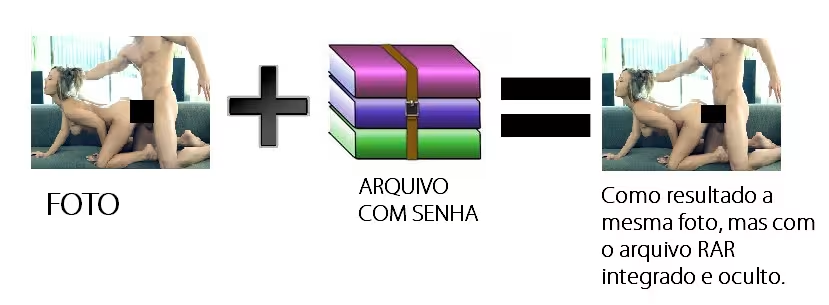
Create a RAR compressed file with a password, and put the file you want to hide in it. I'll call this file hidden.rar
Open the Windows command prompt and go to the location where the files foto.avif and oculto.rar are located
type the following command:
copy /b foto.avif + oculto.rar foto2.avif
A new photo file will be created, foto2.avif
Whenever you open this file, the photo will be displayed normally. If you want to open your hidden files, you will have to right-click on the file, then select Open with, and choose Winrar. (It may happen that Winrar is not among the first options, but just look at the other files and find it there)
If you have any questions, write to me.
Did you know that over 90% of internet content is pornography? Well, this fact has been an ally of international terrorism. Because billions of pornographic images travel the internet every second, no government can monitor them.
Major International Investigation Companies have discovered that these images and videos have served as a form of communication between terrorists, a practically impossible form to control.
Want to use it for good, and hide your passwords in innocent family photos?
See how:
Take the photo you want to use, I'll call it photo.avif
Create a RAR compressed file with a password, and put the file you want to hide in it. I'll call this file hidden.rar
Open the Windows command prompt and go to the location where the files foto.avif and oculto.rar are located
type the following command:
copy /b foto.avif + oculto.rar foto2.avif
A new photo file will be created, foto2.avif
Whenever you open this file, the photo will be displayed normally. If you want to open your hidden files, you will have to right-click on the file, then select Open with, and choose Winrar. (It may happen that Winrar is not among the first options, but just look at the other files and find it there)
If you have any questions, write to me.